

Table of Contents
A life admin system does not need to be complicated.
In fact, if it becomes too complicated, I know I will stop using it.
For me, the goal is not to create a perfect personal management system. The goal is much simpler:
To stop bills, forms, appointments, documents, and reminders from floating around in my head.
Life admin becomes overwhelming when everything lives everywhere. One reminder is in a message. One bill is in an app. One document is in email. One form is downloaded somewhere on the laptop. One appointment is written down but not added to the calendar.
That is when the mind starts carrying too much.
So my system is built around one simple idea:
Everything needs a place to land.
First: I Do Not Try to Organize Everything at Once
This is really important. Whenever I try to organize everything in one big burst, it becomes another project.
And then I tend to avoid it.
So I do not start by opening every folder, every email, every drawer, and every old document.
I start with what is active now.
What needs attention this month?
What is pending?
What is coming up?
What document do I keep searching for?
What bill, form, appointment, or renewal is sitting in my head?
That is already enough to begin.
A life admin system works better when it starts small and becomes useful immediately.
My Life Admin System Has Four Parts
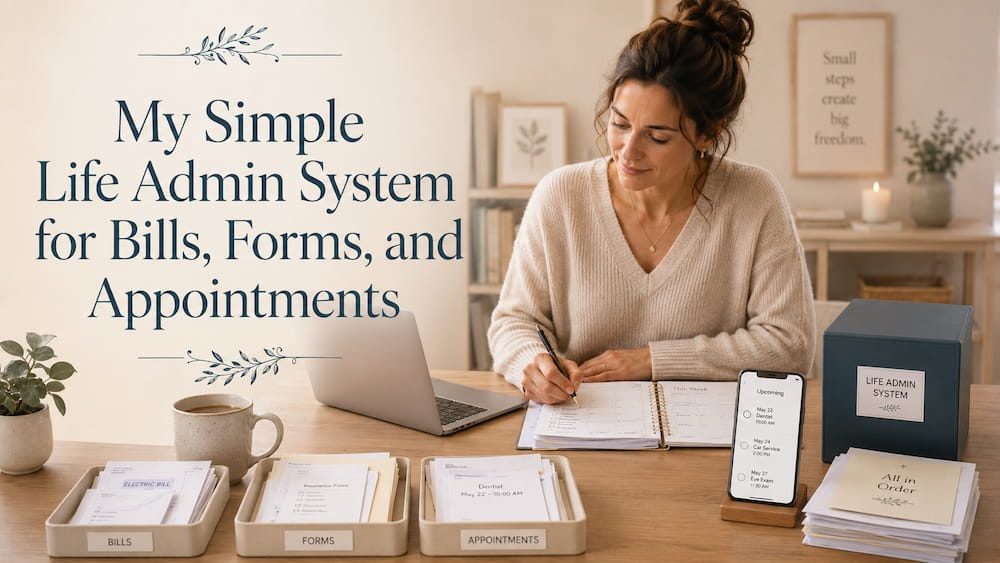
I keep it simple. My life admin system has four parts:
- A place for tasks
- A place for documents
- A place for appointments and reminders
- A weekly admin reset
That is it.
…Not ten apps.
…Not a complicated dashboard.
…Not a perfect digital filing system.
Just four simple places that reduce the amount of remembering my brain has to do.
1. A Place for Life Admin Tasks
The first thing I need is a place to write down admin tasks.
Just One place.
This is where I capture things like:
- pay electricity bill
- book dentist appointment
- renew insurance
- upload document
- call bank
- check subscription
- send form
- follow up on repair
- scan receipt
- download statement
The tool itself does not matter as much as the habit.
It can be:
- a notebook
- a notes app
- a simple task app
- a running list on your phone
The important thing is that life admin tasks should not stay in your head.
I like keeping this list simple. No complicated categories at first.
Just one running list called something like:
Life Admin
or
Admin To Do
Once something lands there, my brain does not have to keep reminding me every few hours.
2. A Place for Important Documents
The second part of the system is a clear place for documents.
This matters because life admin often becomes stressful when I need a document and cannot find it quickly.
Documents can include:
- IDs
- passports
- insurance papers
- tax documents
- medical reports
- bank letters
- bills
- contracts
- warranties
- school or family records
- travel documents
- scanned forms
For digital documents, I like using a simple folder structure.
Nothing too fancy.
For example:
Life Admin
- Bills
- Documents
- Health
- Finance
- Home
- Travel
- Receipts & Warranties
The exact names do not matter.
What matters is that important files stop living in random downloads, email attachments, screenshots, and WhatsApp messages.
If a document may be needed again, it needs a proper home.
This is where digital organization becomes part of life admin. Cloud storage, folders, and backups are not exciting, but they reduce a lot of future searching.
For important documents, I also like having one offline backup option. Cloud storage is useful, but a simple external drive gives an extra layer of safety for files I really do not want to lose.
3. A Place for Appointments and Reminders
The third part is a calendar.
Life admin becomes heavier when appointments, renewals, and deadlines are stored in memory.
I do not want to remember everything.
I want the system to remind me.
So I put date-based admin into a calendar.
This can include:
- doctor appointments
- payment due dates
- insurance renewals
- subscription renewals
- document expiry dates
- school deadlines
- repair visits
- tax dates
- follow-up reminders
For anything important, I add reminders before the actual date.
For example:
If an insurance renewal is due on the 30th, I do not only add a reminder on the 30th.
I add one earlier.
Because life admin often needs time.
You may need to find a document, compare something, make a call, fill a form, or follow up.
A calendar reminder is not just about remembering the date. It is about giving yourself enough space to act before it becomes urgent.
4. A Weekly Life Admin Reset
The fourth part is a small weekly admin reset.
This is the part that keeps the system alive.
It does not need to be long. Even 15 to 30 minutes can help.
During this reset, I check:
- What bills are pending?
- What appointments are coming up?
- What forms or documents need attention?
- What messages or emails need a reply?
- What needs to be followed up?
- What should be added to the calendar?
- What document should be saved properly?
This weekly check stops life admin from becoming a pile.
I do not need to finish everything in one sitting.
The point is to see what is open.
Sometimes I complete a few small tasks immediately.
Sometimes I only move things into the right place.
Sometimes I add reminders for later.
Even that helps because the tasks are no longer floating around.
For task-based life admin, I also tested Todoist as a way to capture reminders, recurring tasks, follow-ups, and small admin actions in one place.
It may be useful if your life admin is less about storing documents and more about remembering what needs to be done next.
My Simple Rule: Capture First, Organize Later
One mistake I used to make was thinking everything had to be organized immediately.
But then real life does not work like that.
Sometimes you receive a bill while cooking.
Sometimes a form comes while you are working.
Sometimes an appointment confirmation arrives when you are outside.
Sometimes you take a screenshot because you do not have time to deal with it.
So I use a simple rule:
Capture first. Organize later.
That means I need one temporary place where things can land before I deal with them properly.
This could be:
- an inbox folder
- a notes list
- a “to sort” folder
- a physical tray
- a weekly review list
But the key is NOT to let these temporary places become permanent dumping grounds.
And that is why the weekly admin reset matters.
It clears the temporary pile before it becomes another mess that you are left to deal with.
What I Keep Digital and What I Keep Physical
I do not think life admin has to be fully digital. It should not and more important, it cannot be.
Some things work better digitally. Some things are easier physically.
For me, digital works well for:
- scanned documents
- bills
- forms
- appointment confirmations
- travel documents
- tax records
- cloud folders
- reminders
- recurring dates
Physical works well for:
- documents that need original copies
- papers I need to sign
- items waiting to be posted
- warranty papers or booklets
- temporary forms
- documents I need to carry somewhere
The important thing is to avoid having the same type of thing scattered everywhere.
If most documents are digital, then digital should be the main home.
If something must be physical, it should have one clear folder or tray.
For physical papers, I like keeping this very simple. One basic document folder or expanding file folder is enough for original documents, papers to sign, warranties, and forms that are still pending. It does not need to be fancy. It just needs to stop important papers from living in random drawers and bags.
For paperwork-heavy life admin, scanning can also become part of the system. I compared when a phone scanner is enough and when a dedicated document scanner may make sense.
The system does not need to be perfect. It just needs to make sense when life is busy.
My Basic Life Admin Categories
If you are starting from scratch, these categories are enough:
- Bills
- Documents
- Health
- Finance
- Home
- Travel
- Receipts & Warranties
- Pending
You can adjust them based on your life.
But I would not create too many categories in the beginning.
Too many folders can create more confusion.
A simple system that you actually use is better than a detailed system that you avoid.
The “Pending” Category Is Very Important
One category that helps a lot is “Pending.”
Life admin is not always finished in one step.
Sometimes you are waiting for:
- a reply
- a refund
- a confirmation
- a document
- a repair person
- an approval
- a delivery
- a callback
If these things do not have a place, they stay in your head.
A Pending list or folder gives them somewhere to sit.
This can be very simplely done:
Pending:
- waiting for insurance reply
- follow up with bank
- refund not received
- document submitted, waiting confirmation
- repair appointment booked
During the weekly admin reset, I check this list.
This one small habit reduces a lot of mental load because I am not relying on memory to track unfinished things.
What Changed After I Started Using This System
The biggest change was not that life admin disappeared.
Of course, it did not.
Bills still come.
Forms still need filling.
Appointments still need booking.
Documents still need saving.
Follow-ups still happen.
But everything feels less scattered.
Now, I know where tasks go.
…where documents go.
…where reminders go.
…when I will review pending things.
That alone makes life admin feel lighter.
The point of a life admin system is not to make everyday responsibilities exciting.
The point is to make them easier to hold.
Final Thought
Life admin feels overwhelming when your brain becomes the place where everything is stored.
A simple life admin system gives those responsibilities somewhere else to live.
- A task list.
- A document folder.
- A calendar reminder.
- A pending list.
- A weekly admin reset.
That is enough to start with. You do not need to organize your whole life perfectly.
You just need a simple system that helps bills, forms, appointments, documents, and reminders stop floating around in your head.
Related Posts:
- Why Life Admin Feels So Overwhelming
- My Simple Digital Declutter System
- How I Organize My Notes Without Fancy Apps
- The 15-Minute Sunday Reset That Stops My Week From Falling Apart
* This post may contain affiliate links. If you buy through them, I may earn a small commission at no extra cost to you.
[…] You may need it for: documents, PDFs, scanned papers, photos, videos, receipts, travel files, personal records, shared folders, old files, files needed while travelling, files required to access from different devices, life admin needs. […]
[…] your weekly reset or life admin check-in, review the Pending section and either complete, file, or discard what no longer needs […]