

Table of Contents
Life admin becomes easier when everything has a place to land.
Not a perfect place.
Not a complicated dashboard.
Not ten different apps.
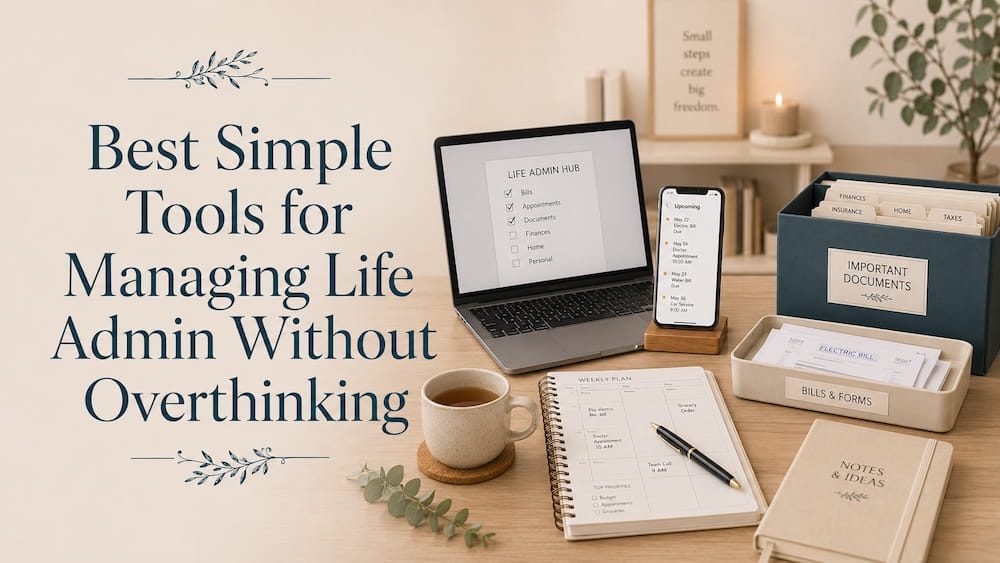
Just a few simple tools that help bills, forms, documents, appointments, passwords, and reminders, stop floating around in your head, and make these life admin tasks less overwhelming.
That is the point of life admin tools.
They are not supposed to make your life look more organized from the outside. They are supposed to make everyday responsibilities easier to manage when life is already full.
Before choosing any tool, I like to ask one question:
“Will this reduce mental load, or will it become one more thing to manage?”
That question helps me avoid overcomplicating the system.
First: Tools Are Not the System
A tool will not organize life admin by itself.
A cloud folder will not help if everything is still saved randomly.
A calendar will not help if dates are not added to it.
A notes app will not help if reminders are scattered everywhere.
A document folder will not help if papers never land there.
The system comes first.
For me, a simple life admin system has four parts:
- one place for tasks
- one place for documents
- one place for appointments and reminders
- one small weekly admin reset
The tools only support those four parts. So this post is not about collecting more apps. It is about choosing a few simple tools that make life admin easier to hold.
1. A Simple Task List for Admin To-Dos
The first tool I need is one place for life admin tasks.
This can be very simple.
A notebook.
A notes app.
A task app.
A running list on the phone.
The tool matters less than the rule:
Life admin tasks should not stay in your head.
This is where I capture things like:
- pay bill
- book appointment
- renew insurance
- upload document
- send form
- call bank
- follow up on repair
- scan receipt
- check subscription
I like keeping this separate from normal work tasks because life admin has its own rhythm.
It often includes small tasks that are easy to ignore but stressful when forgotten.
A simple list called “Life Admin” or “Admin To Do” is enough to begin.
For digital task management, Todoist is one option I tested for everyday tasks, recurring reminders, subtasks, and life admin follow-ups.
I liked it most when I needed to capture and schedule tasks quickly instead of leaving them in my head.
2. A Calendar for Appointments, Renewals, and Deadlines
A calendar is one of the most useful life admin tools because it removes dates from memory.
I use a calendar for anything date-based:
- appointments
- payment due dates
- insurance renewals
- document expiry dates
- subscription renewals
- school or family deadlines
- repair visits
- tax reminders
- follow-up dates
The important part is not just adding the final date. It is adding an earlier reminder.
For example, if something expires on the 30th, I do not want to remember it on the 30th. I want to know before that, while I still have time to act.
Life admin often needs space.
You may need to find papers, fill a form, compare options, make a call, or wait for a reply.
A calendar reminder gives future-you some breathing room.
3. Cloud Storage for Important Digital Documents
Life admin creates a lot of documents.
Bills.
Forms.
Receipts.
Scanned IDs.
Insurance papers.
Medical reports.
Travel documents.
Bank letters.
Warranties.
If these files live in downloads, email attachments, screenshots, and random folders, they become hard to find when needed. That is why cloud storage can be helpful.
Google Drive, Dropbox, or OneDrive can all work. The best choice is usually the one you already use and understand.
The goal is not to create a beautiful folder system.
The goal is to make important documents easy to find.
A simple folder structure is enough. You do not need twenty folders.
Life Admin
- Bills
- Documents
- Health
- Finance
- Home
- Travel
- Receipts & Warranties
- Pending
Too many categories can create more confusion. Start with a few that make sense for your life.
4. An Offline Backup for Important Files
Cloud storage is useful, but I still like having one offline backup for important documents.
This is especially helpful for files I really do not want to lose:
- tax documents
- IDs and passports
- important scans
- family records
- financial documents
- health reports
- travel records
- home or insurance papers
An external drive does not need to become another complicated system.
It can simply be a periodic backup of your most important folders.
For me, the point is peace of mind.
Cloud storage helps with access.
An offline backup helps with safety.
Both serve different purposes.
5. A Physical Document Folder for Papers You Still Need
Not all life admin is digital.
Some documents still need to be kept physically:
- original documents
- signed papers
- forms to submit
- warranty cards
- repair papers
- papers waiting for action
- documents you need to carry somewhere
For these, I like having one simple physical folder or expanding file folder.
Nothing fancy… just one clear place where papers can go instead of living in drawers, handbags, kitchen counters, or random piles.
If a paper needs action, it should not disappear.
A physical folder helps contain that small but stressful category of “papers I cannot lose.”
6. A Notes App for Quick Capture
Life admin often appears at inconvenient times.
A reminder while cooking.
A form mentioned in a message.
A bill noticed during work.
A school or home detail that comes up while doing something else.
That is why I like having one quick capture place. This could be Apple Notes, Google Keep, Notion, a simple notes app, or even a basic notebook.
The tool does not matter as much as the habit.
The rule is:
Capture first. Organize later.
If something comes up and I cannot deal with it immediately, I put it in one place that i have assigned to capture it.
Then during the weekly admin reset, I move it to the right place:
- task list
- calendar
- document folder
- pending list
- archive
This prevents random reminders from scattering across screenshots, WhatsApp messages, sticky notes, and memory.
7. A Scanner App for Paper-to-Digital Life Admin
A scanner app can be surprisingly useful for life admin.
It helps when you need to save:
- receipts
- forms
- letters
- medical papers
- school documents
- signed pages
- warranty papers
- bank letters
Most phones already have some kind of scanning option built in. Many notes apps also allow document scanning.
The point is not to scan every piece of paper in your life.
The point is to scan papers you may need later.
Once scanned, save them into the correct folder immediately, or at least into a temporary “To Sort” folder.
Otherwise, scanned documents can become digital clutter too.
If your life admin includes regular forms, receipts, IDs, contracts, or household documents, a scanner may become useful. I wrote a separate guide on phone scanner vs document scanner to help decide when it is worth considering.
8. A Password Manager for Login Stress
Life admin may times also involves logins.
- Bank accounts.
- Insurance portals.
- Government websites.
- School portals.
- Medical systems.
- Subscriptions.
- Cloud storage.
- Travel accounts.
If passwords are scattered across memory, old notes, browser guesses, and reset emails, admin tasks become harder than they should be.
A password manager can reduce that friction.
It helps you store logins safely and find them when needed.
This is one of those tools that may not feel exciting, but it can save a lot of stress during admin tasks.
The goal is simple:
When you need to pay, renew, upload, download, or check something, you should not lose twenty minutes trying to find the password.
9. A Pending List for Things Waiting on Other People
This is one of the most useful life admin tools, and it does not need an app.
A simple pending list can help you track things that are not finished yet.
For example:
- waiting for refund
- waiting for insurance reply
- repair person to confirm
- document submitted, waiting approval
- bank follow-up pending
- appointment request sent
- form submitted, confirmation not received
Without a pending list, these things stay in the back of your mind.
You keep wondering:
Did they reply?
Did I follow up?
Was this finished?
Do I need to check again?
A pending list gives unfinished admin a place to sit.
During the weekly admin reset, I check this list and decide what needs follow-up.
This one habit can reduce a surprising amount of mental load.
10. A Weekly Admin Reset Time
This is not exactly a tool, but it is the thing that keeps all the tools useful.
Without a review habit, even the best system becomes messy.
A weekly admin reset can be very short. Fifteen to thirty minutes is enough.
During this time, I check:
- life admin task list
- calendar reminders
- pending items
- important emails or messages
- documents waiting to be saved
- papers waiting to be sorted
- upcoming bills, forms, or appointments
The goal is not to finish everything.
The goal is to see what is open and move things to the right place.
This is what stops life admin from quietly piling up again.
My Simple Life Admin Tool Stack
If I had to keep this very simple, I would use:
- one task list
- one calendar
- one cloud folder
- one physical folder
- one quick capture notes list
- one pending list
- one weekly admin reset
That is enough. You can add more tools later if you truly need them.
But I would not start with more.
The more tools you add, the more places you have to maintain.
A good life admin system should reduce places, not multiply them.
Final Thought
The best life admin tools are not the most advanced ones.
They are the ones you actually use when life is busy.
A simple task list.
A calendar.
A cloud folder.
A physical document folder.
A quick capture note.
A pending list.
A weekly admin reset.
That may not look impressive.
But it can make bills, forms, appointments, documents, reminders, and follow-ups much easier to manage.
The goal is not to build a perfect life admin setup.
The goal is to stop carrying everything in your head.
Related Posts
– Why Life Admin Feels So Overwhelming
– My Simple Life Admin System for Bills, Forms, and Appointments
– Dropbox vs Google Drive: Which Is Better for Personal Organization?
– My Simple Digital Declutter System
– How I Organize My Notes Without Fancy Apps
* This post may contain affiliate links. If you buy through them, I may earn a small commission at no extra cost to you.
[…] Best Simple Tools for Managing Life Admin Without Overthinking […]
[…] Best Simple Tools for Managing Life Admin Without Overthinking […]